REDCap: New Instruments
Zip Upload/transfer
You can import existing survey instruments from other studies by downloading the zip. This allows transferring a redcap survey from one project to another.
Zip file contents can also be modified to make bulk changes before importing
This page outlines adding important a .zip instrument to an in-production REDCap project. Similar to REDCap updating surveys

Adding surveys to RedCap manually
It's pretty straightforward! ദ്ദി(˵ •̀ ᴗ - ˵ ) ✧ !
instrument field names (question variable names) cannot be changed once in production mode! Pick your names carefully.
- First, go to Designer (lefthand side) and Enter Draft Mode!
- Click on the CREATE button to start from scratch

- Click to add instrument anywhere. If needed, you can edit placement later by dragging it along your list of instruments.
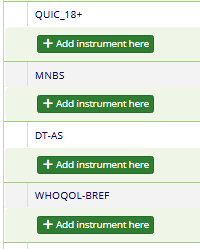
- Now, you can start creating the survey! In this example, we are using MNBS added to SPA7T project in October 2026!
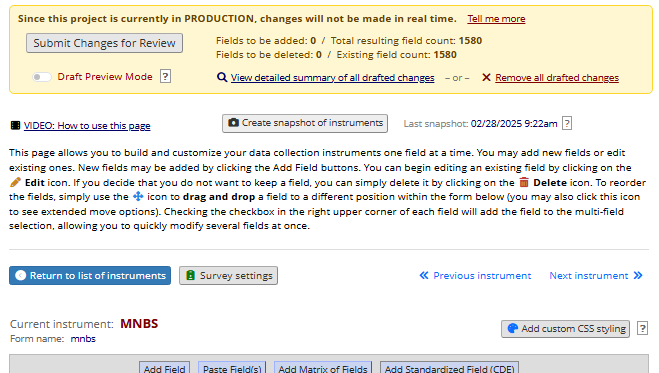


Matrix of Questions
When creating this, we clicked Add Matrix of Fields.

A blank slate looks like this…

By referencing the original PDF of the validated scale, we copied and pasted description/instructions in Matrix Header Text and added each item into its own Matrix Rows. Fun part is creating variable names! Try to name the variable something that relates to the question and that will be easy to use for future cleaning/analysis. Here is a partial snapshot of what it looks like when these areas are filled out for MNBS!

To tailor the way responses should be recorded (Likert scales and/or single responses vs. multiple) you'll come down to this area to edit. For the MNBS, responses will be rated on a 4-point Likert scale from (1) Never to (4) A Lot, with an option to Decline to Answer. In Other Matrix Info, we indicated single answer Radio Buttons.

Once all looks good. SAVE!!! ⸜(。˃ ᵕ ˂ )⸝♡
Here is a snip of the final Product! woot woot 

Be sure to Submit Changes for Review whenever done.

NOTE: You should ask someone to double check your work to ensure proper administration and appropriate reflection of the questions.